Every trip, organized
on one beautiful map.
Voyage Visions turns booking links and confirmation emails into a complete itinerary, with photo pins, directions, flight paths, a timeline and costs. For travelers, families, companies, travel agencies and airlines.
No credit card · Works on any device · Free during beta


Stop digging through your inbox.
Everything about the trip in one place: what, when, where, how much, and how to get there.
Paste a link. Get the place, time, price and photo.
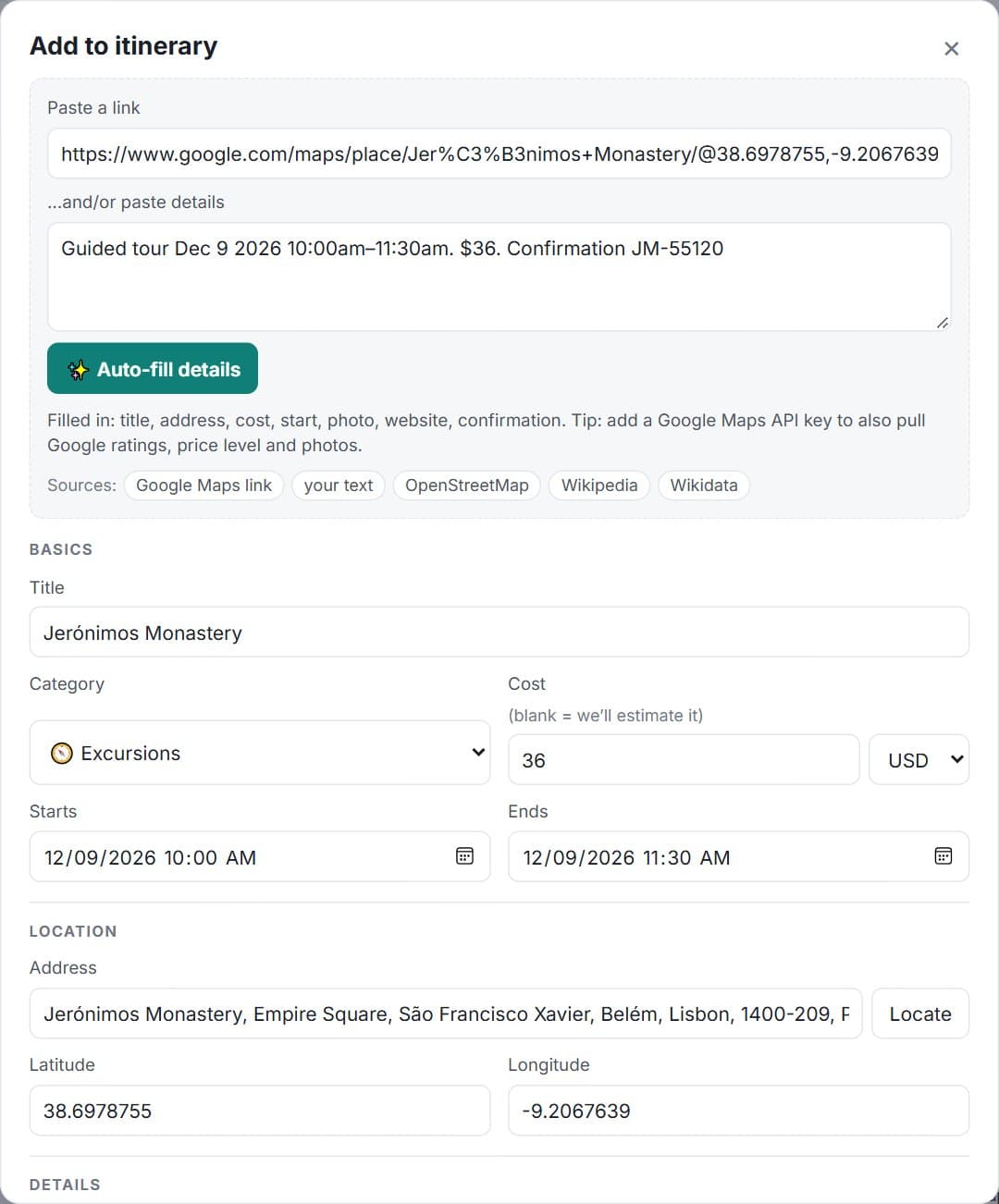
Drop in a Google Maps, hotel, airline, restaurant or tour link, or paste a confirmation email. Voyage Visions reads it, finds the location, adds a photo, and suggests the category.
- ✓Dates, times and prices pulled from emails
- ✓Confirmation numbers saved and one-click copyable
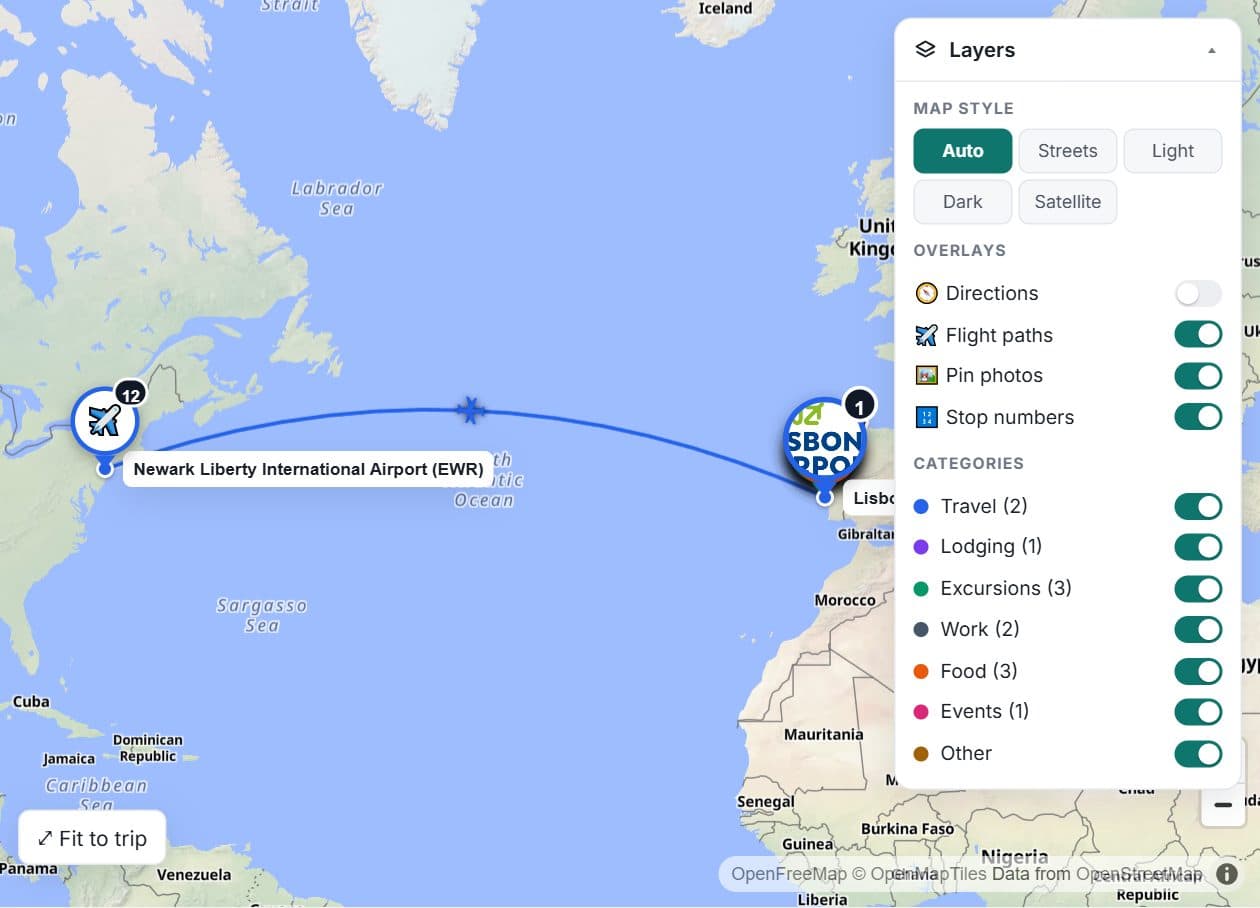
- ✓Flight routes like “EWR → LIS” drawn on the map
See the whole journey, not just the destination.
Flight paths from where you depart, driving directions between each day’s stops, and photo pins color-coded by category. Toggle any layer from the corner of the map.
Know your day by the hour, and your trip to the dollar.
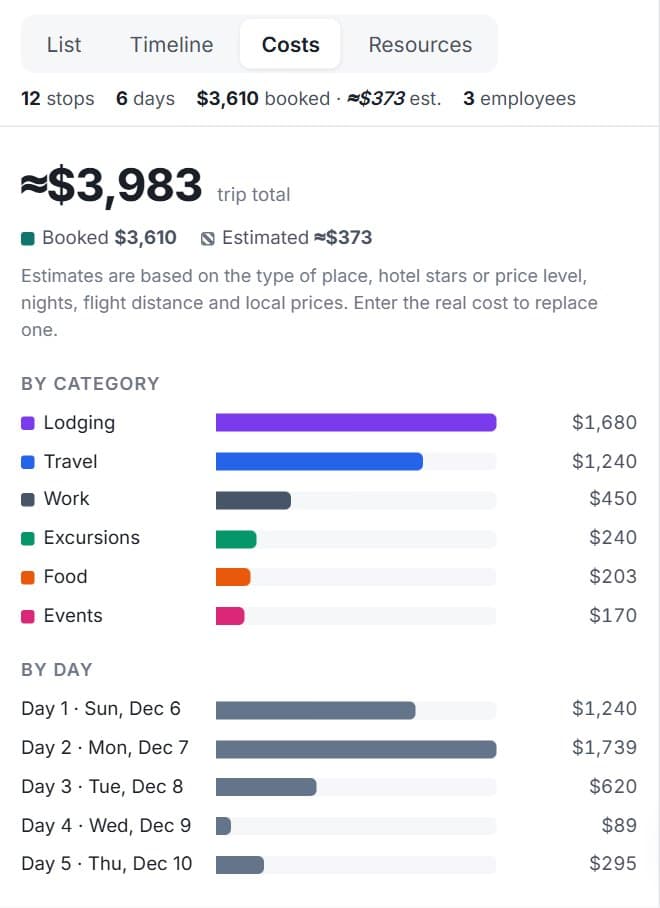
The timeline shows every day from morning to night. Costs roll up by category, by day and per traveler, so expense reports and family budgets take seconds.
Explore the demo trip →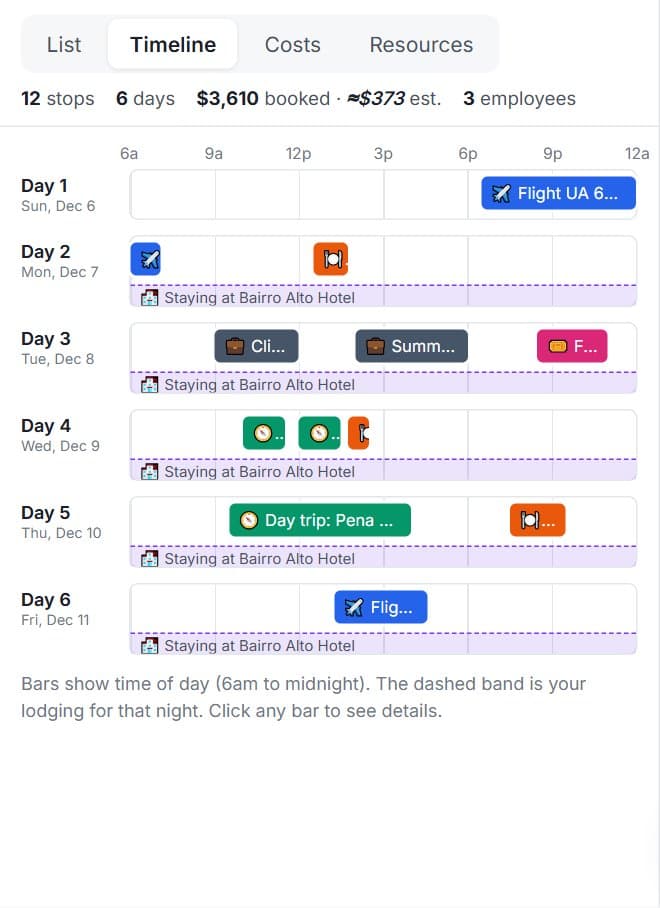
All the tools, none of the busywork.
Paste a link, get the details
Google Maps, hotels, airlines, restaurants, tours. Title, address, map pin, photo, price, times and confirmation number are filled in for you.
A map like you’re house hunting
Photo pins colored by category. Hover for a preview, click for everything: reviews, coordinates, directions.
Layers you control
Turn on driving directions, flight paths, stop numbers, satellite view, or hide whole categories from the corner of the map.
Timeline by the hour
See each day laid out from morning to night, with overlaps and your hotel for the night at a glance.
Costs that add themselves up
Totals by category, by day, and per traveler, with shared costs split automatically.
Share with one link
Clients and family see a read-only itinerary on any device. Private notes and confirmation numbers stay hidden.
Built for teams
Workspaces with owners, admins, members and viewers. Assign stops to the people who are actually going.
Light and dark
Easy on the eyes at 6am in the airport and at midnight in the hotel. The map follows your theme.
From scattered bookings to a shareable plan in three steps.
- 1
Create a trip
Name it, add who’s going. Takes ten seconds.
- 2
Paste your bookings
Drop in links or confirmation emails. Voyage Visions reads them and fills in the details.
- 3
Plan, share, go
Review the map and timeline, turn on directions, and send everyone the link.
One planner, built for how you travel.
- ✓One workspace for every employee trip
- ✓Cost per employee, per day and per category
- ✓Client meetings, conferences and hotels on one timeline
- ✓Roles for admins, travel managers and viewers
Simple pricing. Free while we’re in beta.
Personal
- ✓Unlimited trips
- ✓Auto-fill from links and emails
- ✓Map, timeline and costs
- ✓Share links
Teams
- ✓Everything in Personal
- ✓Workspaces with roles
- ✓Per-traveler cost breakdowns
- ✓Client and crew groups
Enterprise
- ✓Single sign-on and audit logs
- ✓Branded share pages
- ✓API and booking imports
- ✓Priority support
Questions, answered.
Which links can Voyage Visions read?+
Google Maps place links work best. Most hotel, restaurant, tour and airline pages work too. A few sites block automated reading; for those, Voyage Visions fills in what it can from the link itself and you can adjust the rest.
Can I paste a confirmation email instead?+
Yes. Paste the text and Voyage Visions picks out dates, times, prices, confirmation numbers, addresses and flight routes like "EWR → LIS".
Who can see my trip?+
Only people in your workspace, until you create a share link. Share links are read-only and hide private notes and confirmation numbers. You can turn a link off at any time.
Does it work on my phone?+
Yes. Voyage Visions runs in any modern browser on phones, tablets and computers. No app install needed.
Is it really free?+
Personal use is free. Team features are free during the beta. We show a small number of clearly labeled ads to keep it that way.
Can I use it for a whole company or a group of clients?+
Yes. Create a company, travel agency or airline workspace, add your team, and manage every trip in one place with per-person costs.
Your next trip, planned in minutes.
Create a free account and paste your first booking. You’ll see it on the map in seconds.